In 2025, thirty percent of data breaches involved third-party or supply chain components, a 100% increase from the previous year, according to Verizon’s 2025 Data Breach Investigation Report (DBIR). Even teams with solid security can ship a compromised artifact without knowing it, because the compromise happens upstream of anything they wrote. Without proper guardrails, even well-secured teams can unknowingly ship compromised artifacts.
Over the past year, Aikido Security detected several npm supply chain attacks, from Shai Hulud’s credential-stealing malware to S1ngularity’s dependency confusion attacks, the massive September npm outbreak, the React-Native-Aria trojan, and the recent Shai Hulud 2.0 attack on Zapier and ENS Domains, demonstrating that even leading industry services are vulnerable.
The tooling has caught up. Software supply chain security (SSCS) tools now do the vetting automatically, catching malicious packages and known CVEs across your dependencies and pipelines before they reach production.
In this guide, we’ll explore the top SSCS tools teams are using to secure their supply chains. We’ll start with a comprehensive list of the most trusted SSCS platforms, then break down which tools are best for specific use cases, whether for developers, enterprises, startups, SBOM workflows, CI/CD pipelines, and more.
You can jump to specific use cases below:
- Best 5 Supply Chain Security Tools for Developers
- Best 5 Supply Chain Security Tools for Enterprises
- Best 4 Supply Chain Security Tools for Startups and SMBs
- Best 4 Free Software Supply Chain Security Tools
- Best 5 SSCS Tools for Open Source Dependency Risk
- Best 2 End-to-End Software Supply Chain Platforms
- Best 4 SSCS Tools for Building and Validating SBOMs
- Best 5 Supply Chain Tools with CI/CD Integration
TL;DR
Among the platforms reviewed, Aikido Security stands out as the #1 software supply chain security (SSCS) solution, thanks to its ability to detect threats earlier than most competitors. Aikido Intel, its threat feed, is often first to flag new malware campaigns before they hit mainstream databases, and its open-source tool, Aikido Safe Chain, blocks malicious packages at install time, the kind of thing that stopped the npm outbreak and Shai Hulud 2.0 from spreading further.
Behind that early detection sits the full platform: SAST, SCA, secrets detection, CI/CD checks, and container image scanning in one place, with findings landing in the pull requests and IDEs developers already work in. It also auto-generates SBOMs and runs license compliance checks. Security teams get audit-ready evidence mapped to SOC 2 and ISO 27001; developers get remediation inline instead of another ticket in the queue.
In head-to-head evaluations (POCs, or proofs of concept), Aikido tends to win on the things that actually decide them: detection accuracy and pricing you can predict a year out.
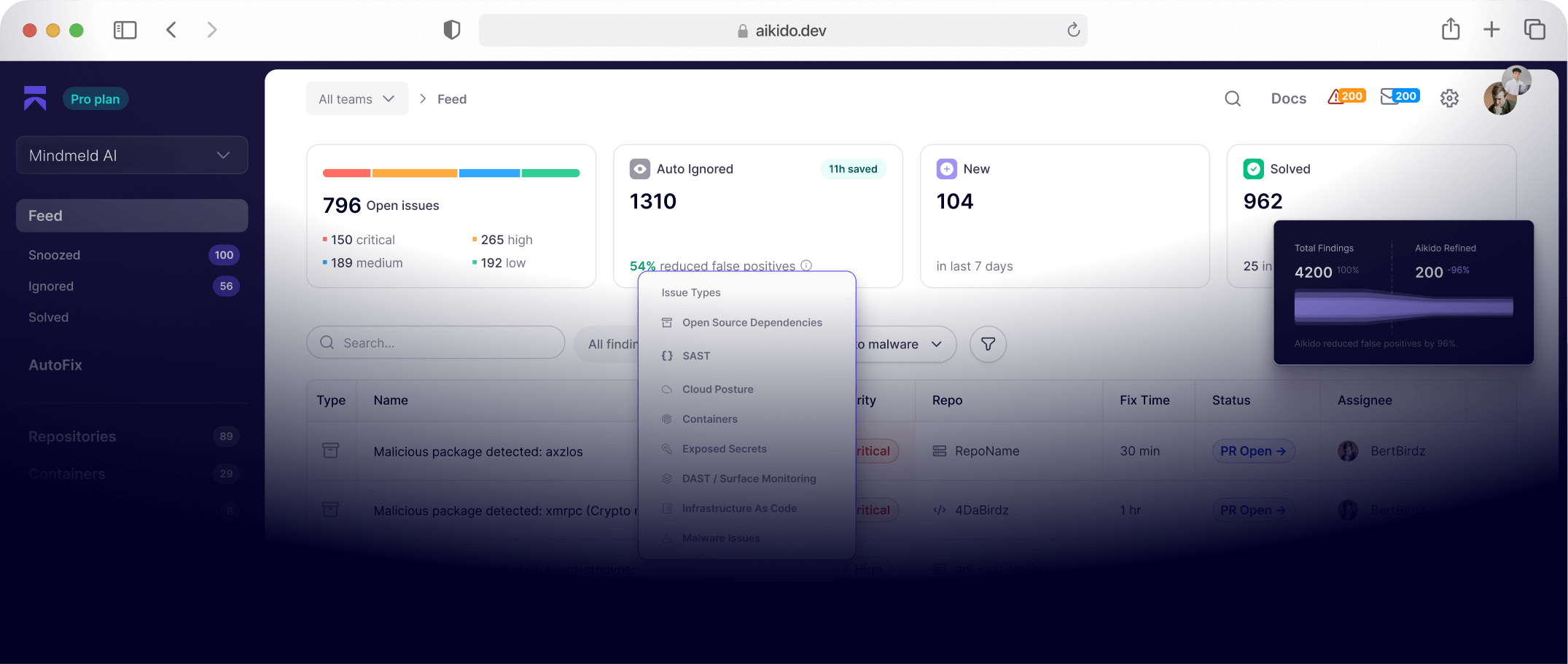
How Aikido Security Handles SSCS challenges
What is Software Supply Chain Security?
Software Supply Chain Security (SSCS) is the practice of protecting every step in your software’s lifecycle, from code and dependencies to build processes and deployments to ensure nothing malicious or vulnerable slips in. It focuses on securing all the “links” in the chain , including open-source libraries, CI/CD pipelines, container images, infrastructure-as-code, and release artifacts.
The goal is to ensure the software you build and use is trustworthy, reliable, and free from tampering or known vulnerabilities.
In short, SSCS tools help you verify that every component as well as the people and processes handling them are uncompromised, reducing the risk of breaches.
Why Software Supply Chain Security Tools Matter
Modern applications rely on layers of open-source code, automated build systems, and distributed deployment pipelines. But with so many components involved, this complexity introduces its own risks: a single compromised dependency or misconfigured pipeline can expose your entire system. SSCS tools help you keep track of this complexity by showing you exactly what’s in your supply chain. Here’s what they ensure:
- Prevent Hidden Malware and Backdoors: Automatically detects malicious packages or code injections in dependencies to avoid supply-chain attacks.
- Catch Vulnerabilities Early: Identifies known CVEs in third-party libraries, containers, and build tools before they reach production.
- Ensure Integrity: By signing artifacts and verifying checksums, SSCS tools ensure the components you deploy are exactly what you intended.
- Simplify Compliance: Automatically generates SBOMs (Software Bills of Materials) and security reports automatically.
- Save Developer Time: Integrates security into developer workflows to catch issues. Automated alerts and fixes mean developers spend less time on manual code reviews or chasing false positives, and more time building features.
How to Choose the Right SSCS Tool
Choosing a supply chain security tool comes down to your tech stack, team size, and risk profile. Keep these key criteria in mind when evaluating options:
- Threat Coverage:. Identify what you need SCA, DAST, SAST container scanning, code signing, build system hardening? Look for tools that cover multiple bases to reduce tool sprawl.
- Integration: Does it integrate into your existing workflow; IDE, source control, CI/CD pipelines? Look for tools with minimal integration friction.
- Developer-Friendly UX: What is it designed with developers in mind? Does it provide clear remediation guidance and features, such as AI autofix?
- Context-aware Prioritization: Can it correlate risks across multiple scanners? Does it use AI to prioritize vulnerabilities based on exploitability?
- Access controls: Does it support role-based access control and shared dashboards? Can DevSecOps teams collaborate on findings directly from integrated tools like GitHub, GitLab, Jira and Slack?
- Compliance Support: Does it support common standards like NIST, SOC 2, PCI DSS, ISO and DORA?
- Deployment: How long does it take to deploy? Do you need to install agents?
- Predictable Pricing: Can you predict how much it will cost your team in 6 months?
Top 12 Software Supply Chain Security Tools
1. Aikido Security
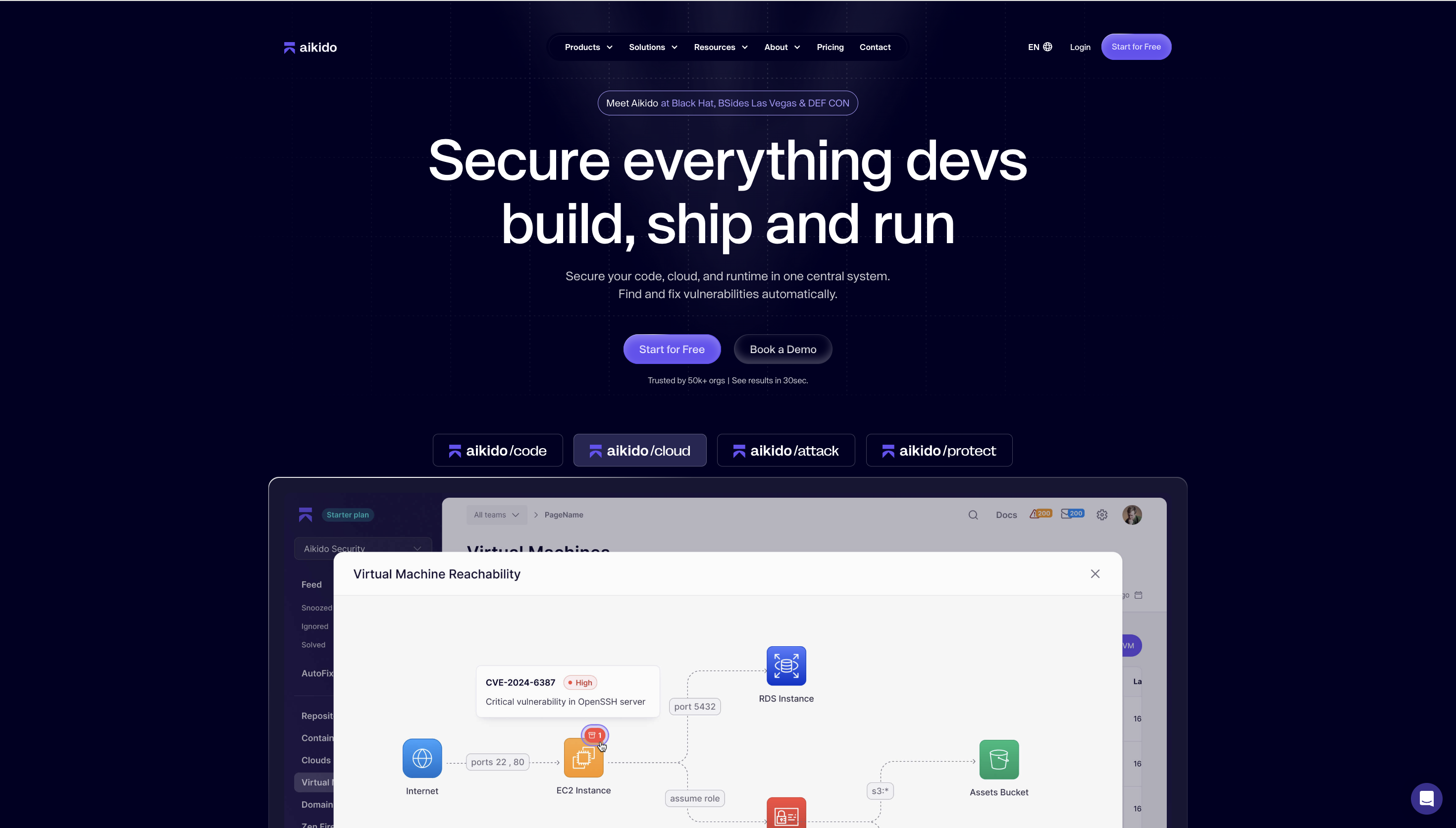
Aikido Security is an mature software security platform that covers the whole supply chain, from dependencies and code through to containers and runtime.
Aikido was the first vendor to detect several of the year's biggest supply chain attacks, including the Shai Hulud 2.0 malware attack and the September npm outbreak, along with Shai Hulud, S1ngularity, and the React-Native-Aria trojan. It breaks each one down and notifies the maintainers and affected customers directly.
Its malware engine performs AI-assisted behavioral analysis on package dependencies to detect obfuscated payloads, suspicious post-install scripts, credential stealers, exfiltration logic, and dependency-confusion attempts, automatically linking these findings to exploitable attack paths across code, containers, and cloud configurations.
Developers get everything they need to resolve issues:
- Detailed, context-rich vulnerability insights
- Direct fix recommendations in IDEs or pull requests
- AI-assisted one-click fixes
- Audit-ready compliance evidence aligned with SOC 2, ISO 27001, PCI DSS, GDPR, and other frameworks
Teams can start with any module, SAST, SCA, IaC, secrets, or DAST, and turn on the rest as they need them, gaining deeper visibility without introducing tool bloat.
Key Features:
- Modular coverage: Start with SAST, SCA, IaC, secrets, or DAST, and enable the rest as you go. Container image scanning is included.
- Real-time malware blocking: Aikido Safe Chain hooks into your package manager and blocks malicious dependencies at install time, before they ever reach the repo.
- Agentless setup: Uses read-only APIs to integrate with GitHub, GitLab, or Bitbucket in minutes. No installation agents required.
- AutoTriage and AutoFix: Reachability analysis filters out unexploitable findings, cutting up to 95% of the noise, and AutoFix opens one-click pull requests for the issues that remain.
- Compliance mapping: Findings map to SOC 2, ISO 27001, PCI DSS, GDPR, and more, with audit-ready reports you can hand to an assessor.
- End-to-end attack path analysis: Aikido uses AI to link vulnerabilities, validate exploitability, prioritize real attack paths, and generate reproducible exploit proofs.
- Context-aware risk scoring: Severities adjust to your environment, so an internet-facing repo and an internal one don't get treated the same.
- CI/CD integration: Runs security checks on every pull request and deployment across GitHub, GitLab, CircleCI, and more.
- Feedback where you work: Inline findings in pull requests and IDE plugins that flag issues as you type, with AutoFix remediation and actionable remediation workflows.
- Broad compatibility: Works across many languages and cloud environments out of the box.
Pros:
- Live malware feed
- Predictable pricing
- Broad language support
- Centralized reporting and compliance
- Supports multi-cloud monitoring (AWS, Azure, GCP)
- Comprehensive Software Bill of Materials (SBOM)
- AI-powered filtering to reduce false positives
- IaC scanning and Kubernetes security
- Customizable security policies and flexible rule tuning
Best For:
Teams that want enterprise-grade coverage and governance, from a two-person startup to a complex enterprise rollout, delivered through the pull-request and IDE workflows developers already use.
Gartner Rating: 4.9/5.0
Aikido Security Reviews:
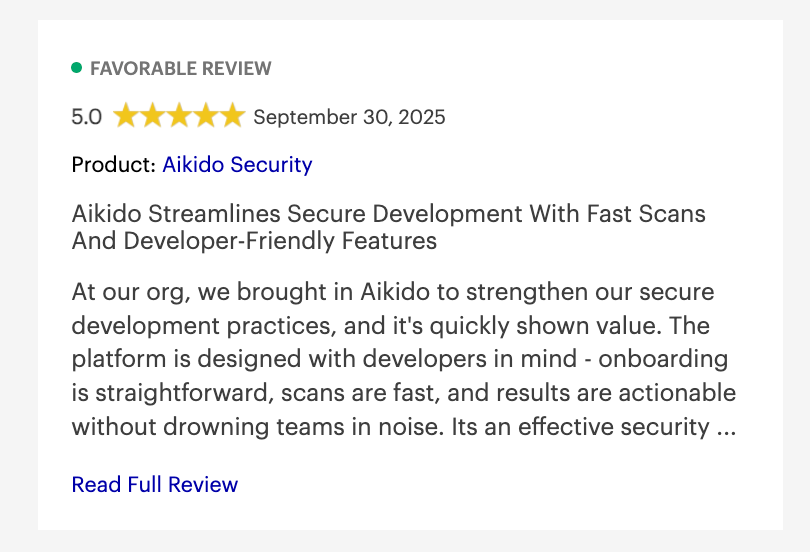
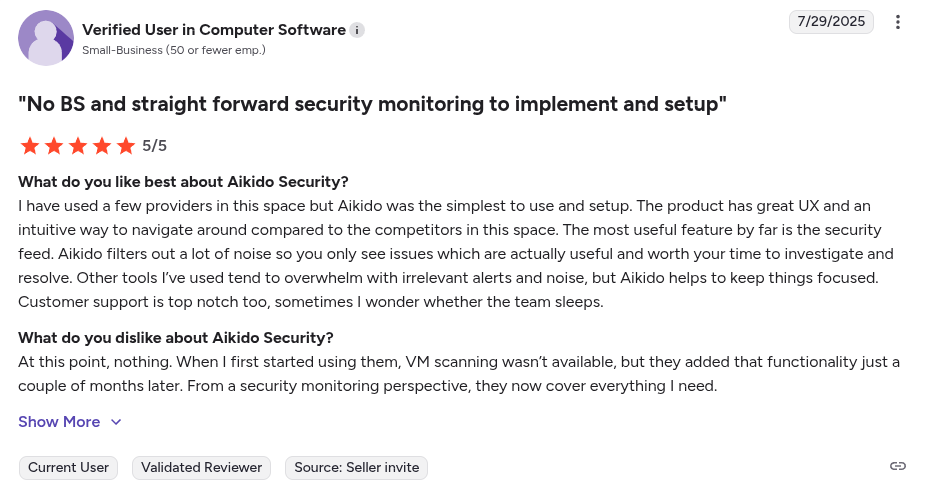
Beyond Gartner, Aikido Security also has a rating of 4.7/5 on Capterra, Getapp and SourceForge
2. Aqua Security (Chain-Bench)
Aqua Security’s Chain-Bench is an open-source tool for auditing your software supply chain for best practices.
Key Features:
- CIS Benchmark Auditing: Checks your DevOps stack for compliance against 20+ CIS recommendations for supply chain security.
- Reporting & Scorecards: Generates reports highlighting passed/failed controls.
Pros:
- Automated SBOM’s
- Policy enforcement
Cons:
- Primarily focused on containerized environments
- Steep learning curve
- Potential for vendor lock-in
- It does not perform SAST, DAST or Iac scanning
- Requires teams to adjust their workflows to its distroless images
- Users have reported issues integrating with legacy platforms
- It free container images are limited to its latest version
Best For:
Teams that need to audit their existing CI/CD infrastructure and DevOps configurations against security benchmarks such as the CIS Software Supply Chain Security benchmarks.
Gartner Rating:
No Gartner review.
Aqua Security’s Chain-Bench Reviews:
No independent user generated review.
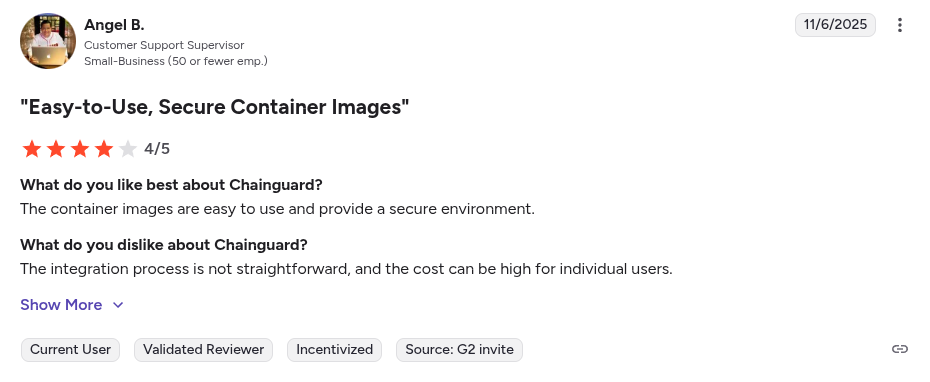
3. Chainguard
Chainguard is a software supply chain security platform focused on securing container supply chains. It’s known for its hardened base container images and heavy involvement in projects like Sigstore.
Key Features:
- Hardened Base Images: Provides minimal, vulnerability-free container images.
- Built-In Signing & SBOMs: Every Chainguard container image is digitally signed and includes a high-quality SBOM (Software Bill of Materials) out-of-the-box.
Pros:
- Automated rebuilds and CVE management
- Digitally signed images
- Supports common CI/CD platforms
Cons:
- Requires migration to Chainguard's distro
- Pinned images are not updated
- Steep learning curve
- It needs third party tools for comprehensive coverage
- Its free tier is limited to the latest version of container images
Best For:
Organizations prioritizing container security and dealing with dependency bloat, high CVE noise, and complex container hardening requirements.
Gartner Rating:
No Gartner review.
Chainguard Reviews:
4. GitHub Dependabot
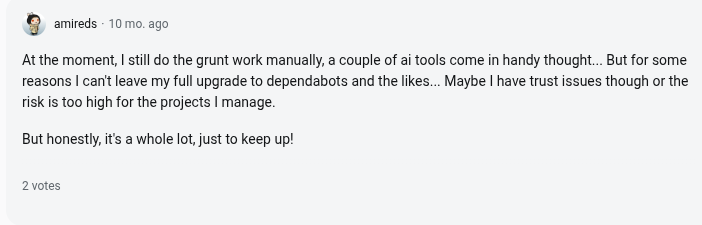
Dependabot is GitHub’s built-in tool for keeping third-party dependencies up-to-date and vulnerability-free.
Key Features:
- Vulnerability Alerts: Leverages GitHub’s security advisory database to alert you when a dependency in your repo has a known vulnerability.
- Regular Version Updates: You can enable version updates to open PRs to update packages to the latest versions either weekly or monthly.
- Configurable Controls: You can tune Dependabot to ignore specific dependencies or update schedules.
Pros:
- Easy GitHub integration
- Available in all GitHub repositories
- Automated vulnerability remediation
Cons:
- Primarily a software composition analysis (SCA) tool
- High alert volume
- False positives
- Lacks context-aware analysis
- Limited nested dependency analysis
- Its deep integration with Github’s ecosystem may lead to vendor lock-in
- It can tricked into merging malicious code via a “confused deputy” attack
Best For:
Small to mid-sized engineering teams that want automated dependency updates integrated directly into GitHub.
Gartner Rating:
No Gartner review.
Dependabot Reviews:
5. GitLab Dependency Scanning
GitLab’s Dependency Scanning is a feature of GitLab’s DevSecOps platform. It scans your application’s dependencies for known vulnerabilities, giving you security insights within your merge request workflow.
Key Features:
- Merge Request Integration: Vulnerabilities are surfaced right in the merge request, so developers see security findings before merging..
- Continuous Monitoring: Notifies users if new vulnerabilities have been identified for dependencies in your project.
- Compliance: Allows teams to fail pipelines on high-severity findings, and generate reports for compliance needs.
Pros:
- Policy Enforcement
- Nested dependency analysis
- Deep Integration with GitLabs CI/CD
Cons:
- Learning curve
- High alert volume
- Potential for vendor lock-in
- Complex setup for SBOM scanning
- Its scans are resource intensive
- Users have reported fixed vulnerabilities still showing up as active
Best For:
Teams already using the GitLab ecosystem that want built-in SCA and supply chain scanning integrated across merge requests.
Gartner Rating:
No Gartner review.
GitLab’s Dependency Scanning Reviews:
No independent user generated review.
6. JFrog Xray
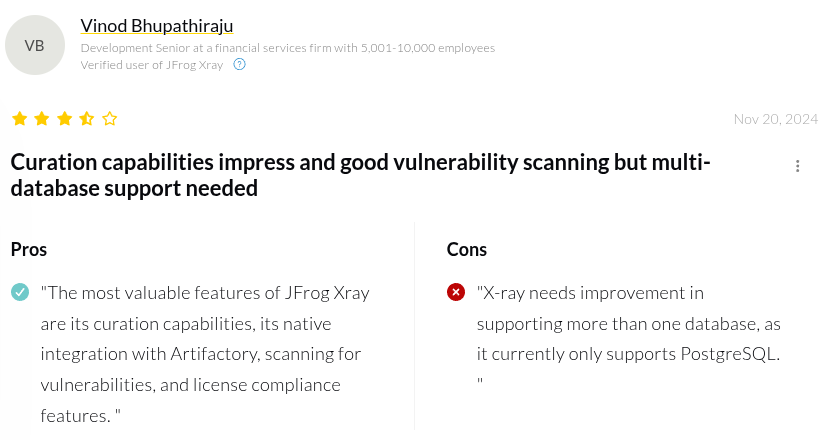
JFrog Xray is a software composition analysis tool. It is integrated with JFrog’s binary/package repository and CI pipelines.
Key features:
- Recursive Scanning: Performs recursive scans of containers and packages stored..
- Unified CVE and License Database: Checks components against its vulnerability database and license lists.
- Impact Analysis: If a new CVE emerges, it allows users to write queries to find all builds and projects that are using the affected library version.
Pros:
- SBOM Generation
- Context-aware analysis
- Broad artifact support
Cons:
- Primarily enterprise focused
- Steep learning curve
- It is complex to configure
- Cluttered User interface
- Scanning large artifacts and nested dependencies is slow and resource intensive
- Requires continuous tuning to minimize false positives.
Best For:
Organizations with heavy artifact and package management workflows that want to secure binaries at the source (via Artifactory).
Gartner Rating: 4.5/5.0
JFrog Xray Reviews:
7. Phylum (Now part of Veracode)
Phylum (now part of Veracode) is a supply chain security tool with a focus on risks in open-source packages.
Key Features:
- Malware Detection: Phylum’s uses ML and heuristics to analyze open-source ecosystems in real time.
- Risk Scoring: Each package is evaluated across multiple dimensions, not only code analysis, including maintainer reputation, update cadence and signals of typosquatting.
Pros:
- Remediation Guidance
- Malicious Package Detection
Cons:
- Enterprise focused
- Steep learning curve
- High alert volume
- Poor Developer Experience
- High False Positives
- requires comprehensive policy tuning to filter malicious OSS packages
- Requires manual remediation
Best For:
Security-focused teams seeking behavior-based supply chain threat detection for open-source packages.
Gartner Rating:
No Gartner review.
Phylum Reviews:
No independent user generated review.
8. ReversingLabs
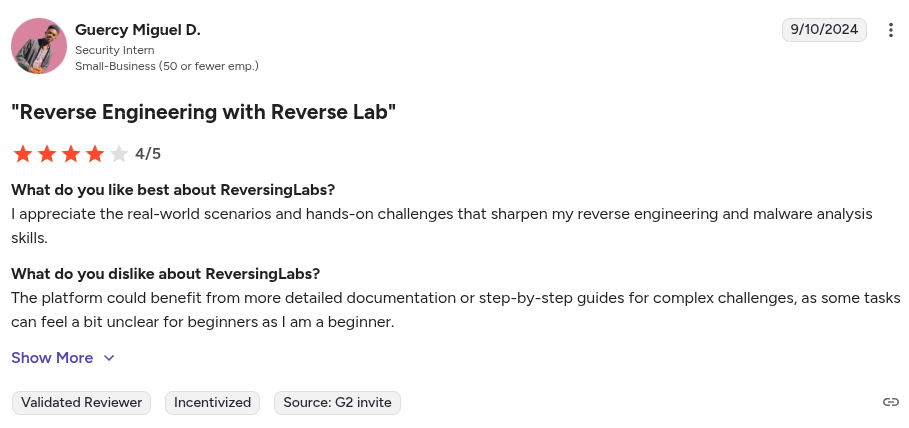
ReversingLabs offers an advanced supply chain security platform, recently branded Spectra Assure that brings file reputation and binary analysis to the software pipeline. It is primarily known for its comprehensive malware database.
Key Features:
- Advanced Binary Scanning:Its static analysis engine deconstructs binaries to find hidden malware, unauthorized changes (tampering), secrets embedded in code, and other anomalies that traditional scanners miss.
- Comprehensive Threat Intelligence: ReversingLabs brings a threat intelligence database of 40+ billion files with 16 proprietary detection engines.
- Custom Policies & Integration: Supports custom security policies and integrates with CI/CD and artifact repositories.
Pros:
- SBOM generation
- Vast threat intelligence database
Cons:
- Heavy enterprise focus
- Steep learning curve
- It can be complex to configure
- It requires third party SCA and SAST tools for full coverage
- It is resource intensive
- Less developer-centric when compared to tools like Aikido security
Best For:
Enterprises that need binary-level analysis for both open-source and proprietary components.
Gartner Rating: 4.8/5.0
ReversingLabs Reviews:
9. Sigstore/Cosign
Sigstore is an open-source initiative (now a Linux Foundation project) that aims to make software signing easy and accessible for all developers. It uses its CLI tool Cosign to sign and verify container images, binaries, and other artifacts..
Key Features:
- Keyless Artifact Signing: Sigstore enables “keyless” signing using OIDC identities.
- Verifying Provenance: Its policy controller lets you verify that an artifact (e.g. a Docker image) was built from the correct source and hasn’t been tampered with.
- SBOM and Attestation Support: It can generate, attach and verify SBOMs and security attestations.
Pros:
- Open-source
- Keyless signing
Cons:
- Not a full SSCS tool
- User short-lived OIDC tokens serve as a single point of failure
- Lacks governance and policy control
- Teams must deploy and manage a private instance of Sigstore for proprietary software
- Requires a deep understanding of cryptography beyond simple use cases
Best For:
Ideal for cloud-native teams adopting SLSA, zero-trust pipelines, or Kubernetes-focused workflows.
Gartner Rating:
No Gartner review.
10. Snyk
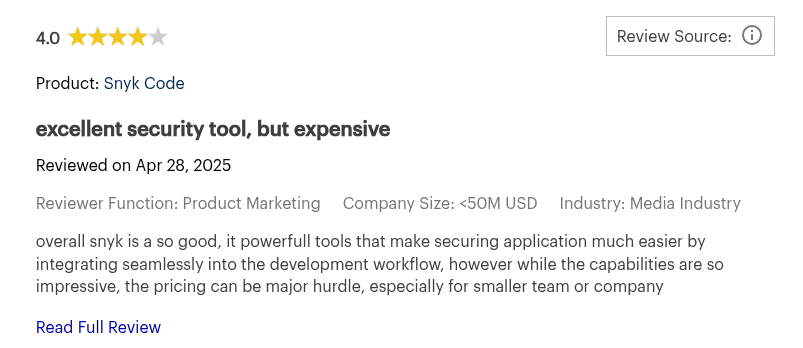
Snyk is a DevSecOps platform that helps developers find and fix vulnerabilities in their code, open-source dependencies, containers, and cloud configs..
Key Features:
- Vulnerability Database: Snyk maintains its own internal vulnerability database augmented by research and machine learning.
- Actionable Fix Suggestions: It can automatically open pull requests to upgrade dependencies to a safe version and provide clear descriptions for code issues.
Rich Pros:
- AI-driven analysis
- Comprehensive vulnerability database
Cons:
- Steep learning curve
- False positives
- Pricing can be become expensive
- 1mb file size limit for static code analysis
- Users have reported slow scans on large repositories
- Users have reported its suggestions are sometimes generic
- Requires additional tuning to reduce noise noise
- It can miss vulnerabilities in proprietary codebases
Best For:
Teams that want fast vulnerability scanning, a broad ecosystem of integrations, and strong SCA + SAST coverage.
Gartner Rating: 4.4/5.0
Snyk Reviews:
11. Sonatype Nexus Lifecycle
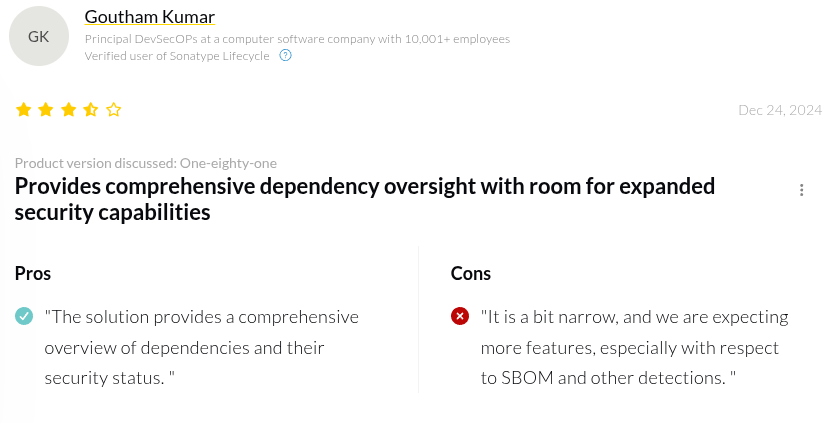
Sonatype’s Nexus Lifecycle (part of the Nexus platform) is a veteran solution in the software supply chain space, known for its open source component security.
Key Features:
- Noise Filtering: Uses reachability analysis and machine learning to filter alerts.
- Policy and Governance Engine: Lets users set custom policies on open-source usage.
- Integration: Provides integrations for popular IDEs and CI/CD platforms to warn developers early.
Pros:
- Context based risk prioritization
- Automated Policy Enforcement
- SBOM Management
Cons:
- Enterprise focused
- It is primarily an SCA tool
- Learning curve
- Requires third party tool for full supply chain coverage
- Users have reported its user interface is complex to navigate
Best For:
Large enterprises seeking strict governance, policy enforcement, and long-term open-source risk management.
Gartner Rating: 4.5/5.0
Sonatype’s Nexus Lifecycle Reviews:
12. Mend (Formerly WhiteSource)
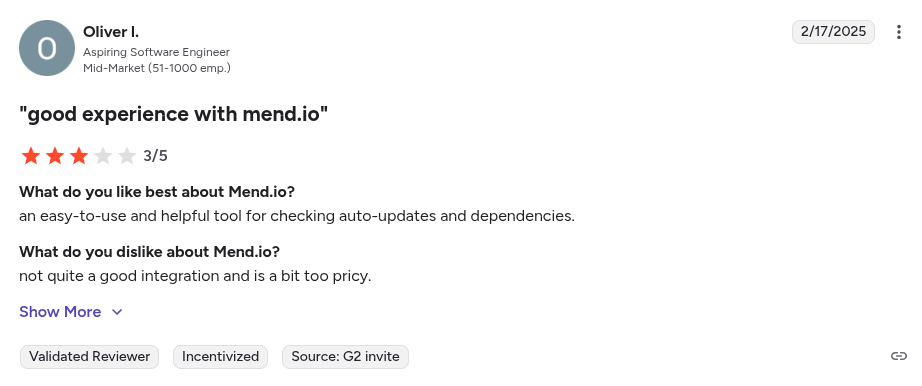
Mend (Formerly Whitesource), is an open-source security and license compliance tool. It started as a SCA tool but has expanded to include SAST and container scanning.
Key Features:
- End-to-End SCA: Continuously scans your projects’ open-source components against vulnerability feeds and licensing databases.
- Automated Remediation : Automatically opens merge requests to update dependencies .
- Policy and Compliance: It offers policy settings to enforce standards and also generates SBOMs and compliance reports.
Pros:
- Strong policy enforcement
- Broad language support
Cons:
- Heavily enterprise focused
- False positives
- Integrating with on-premise systems is complex
- Users report poor documentation for newer features
Best For:
Teams that need a proven way to manage open-source risk, enforce licensing policies, and standardize their SSCS practice
Gartner Rating: 4.4/5.0
Mend (Formerely WhiteSource) Reviews:
Now that we’ve introduced the top tools overall, let’s break things down further. In the sections below, we highlight which tools shine for specific needs, whether you’re a dev looking for something easy and free, or a CISO looking for an end-to-end platform. These breakdowns should help you zero in on the best solution for your context.
Best 5 Supply Chain Security Tools for Developers
Key Criteria For Choosing a SSCS Tool For Developers:
- Seamless workflow integration
- Fast and automatic scans
- Low noise and actionable alerts
- Developer-friendly UX
- Cost-effective / free tiers preferred
Here are the Top 5 SSCS tools tailored for Developers:
- Aikido Security: End-to-end workflow, integrates with IDEs and CI/CD, AI-powered noise reduction, free tier available
- Dependabot: Automatic dependency updates, GitHub-native, free for all repos
- Snyk: Clear remediation guidance, IDE and CI support
- Phylum: Protects against malicious OSS packages, CLI integration for pipelines
- GitLab Dependency Scanning: Simple CI integration, actionable findings in merge requests
Comparing SSCS Tools for Developers
Best 5 Supply Chain Security Tools for Enterprises
Key Criteria For Choosing a SSCS Tool For Your Enterprise:
- Broad security coverage
- Strong policy and governance features
- Enterprise-grade reporting (SBOM export, compliance reports)
- Flexible deployment options
- Predictable pricing
- Proven vendor support
Here are the Top 5 SSCS Tools tailored for enterprises:
- Aikido Security: Enterprise-grade full supply chain visibility (SCA, SAST, DAST, IaC), strong policy control, satisfies compliance reporting, easy enterprise rollout
- Sonatype Nexus Lifecycle: Deep OSS governance, enterprise-grade policies
- Mend (Formerly WhiteSource): Broad SCA coverage, automated remediation
- JFrog Xray: Scalable binary scanning, ideal for artifact-heavy environments
- ReversingLabs: Advanced malware/tampering detection for high-risk industries
Comparing SSCS Tools for Enterprises
Best 4 Supply Chain Security Tools for Startups and SMBs
Key Criteria For Choosing a SSCS Tool For Your Startups and SMBs:
- Affordability (Free tiers, pay-as-you-grow plans)
- Simplicity
- Broad threat coverage
- Automation
- Developer-first UX
- Scalability
Here are the Top 4 SSCS tools tailored for Startups and SMBs:
- Aikido Security: Multi-module DevSecOps, quick SaaS setup, friendly UX, free tier
- Snyk: Ffee tier, open-source and cloud scanning
- Dependabot: Automatic dependency updates, built into GitHub
- Mend (Formerly WhiteSource): Automated remediation, policy enforcement
Comparing SSCS Tools for Startups and SMBs
Best 4 Free Software Supply Chain Security Tools
Key Criteria For Choosing Free SSCS Tools:
- Truly Free (OSS or free SaaS tier)
- Community support
- Ease of Integration
- Lightweight
- Coverage
Here are the Top 4 Free SSCS Tools:
- Aikido Security: Best-in-class intelligence, enterprise-grade coverage, agentless setup, code + cloud + container scanning
- Dependabot: Free dependency scanning, built into GitHub
- Sigstore/Cosign: Free artifact signing and verification, PKI for open-source projects
- Aqua Security’s Chain-Bench: Open-source CI/CD auditing, highlights gaps in security practices
Comparing Free SSCS Tools
Best 5 SSCS Tools for Open Source Dependency Risk
Key Criteria For Choosing SSCS Tools for Open Source Dependency Risk:
- Vulnerability database coverage (NVDs, GitHub advisories, distro bulletins)
- License Compliance checks
- Context-aware prioritization
- Automated dependency upgrades
- Malware Checks
Here are the Top 5 SSCS Tools for Open Source Dependency Risk:
(and if you're evaluating SCA specifically for a larger org, see our roundup of the best enterprise SCA tools)
- Aikido Security: Integrated SCA with AI reachability, AI-powered noise reduction, license checks, auto-generated SBOMs
- Snyk: Continuous monitoring, license scanning
- Sonatype Nexus Lifecycle: Policy-driven OSS governance, rich dependency data
- Phylum: Detects malicious packages, behavioral malware analysis
- Mend (Formerly WhiteSource): Broad language support, license and outdated component analysis
Comparing SSCS Tools for Open Source Dependency Risks
Best 2 End-to-End Software Supply Chain Platforms
Key Criteria For Choosing End-to-End SSCS Tools:
- Broad feature set
- Result correlation
- Unified Policy and Governance
- Developer Workflow Integration
- Scalability
Here are the Top 2 End-to-End SSCS Tools:
- Aikido Security: End-to-end mature security platform, agentless, easy setup, AI powered risk correlation
- JFrog Xray: Artifact signing, build-to-release
Comparing End-to-End SSCS Tools
Best 4 SSCS Tools for Building and Validating SBOMs
Key Criteria For Choosing SSCS Tools for Building and Validating SBOMs:
- Supported formats (CycloneDX, SPDX)
- Integration
- Depth of Analysis
- Validation and Signing
- Usability
Here are the Top 4 SSCS Tools for Building and Validating SBOMs:
- Aikido Security: One-click SBOM reports, vulnerability-aware components list
- Sigstore/Cosign: SBOM signing, attestations, integrity verification
- Mend (Formerly WhiteSource): Automated SBOM generation, policy checks
- JFrog Xray: Detailed component metadata, SBOM export
Comparing SSCS Tools for Building and Validating SBOMs
Best 5 Supply Chain Tools with CI/CD Integration
Key Criteria For Choosing SSCS Tools with CI/CD Integration:
- Native CI Plugins
- Pipeline performance
- Fail/Pass policy control
- Developer-Friendly Feedback (PR comments, SARIF, logs)
- Scalability
Here are the Top 5 SSCS Tools with CI/CD Integration:
- Aikido Security: One-step CI integration, AI remediation, instant pipeline feedback
- Snyk: Ready-made CI plugins, auto-fix PRs
- GitLab Dependency Scanning: Native CI template, automated MR security reports
- JFrog Xray: build-to-release policy enforcement, artifact scanning
- Phylum: Pre-install dependency protection, CI-friendly binary
Comparing SSCS with CI/CD Integration
Conclusion
Supply chain attacks aren't going away, but they are manageable with the right tooling in place. The step that matters most is where you put those controls: early, in the build and release process, rather than bolted on before a release.
Aikido Security pulls the checks that used to live in separate tools, SAST, SCA, secrets, IaC, DAST, and container image scanning, into one platform, with findings surfaced in the pull requests and IDEs teams already work in. Reachability analysis and AutoTriage cut the noise so teams act on real, exploitable issues instead of drowning in alerts, and the coverage scales from a two-person startup to a full enterprise rollout without changing tools along the way.
Want full visibility across your supply chain? Start your free trial or book a demo with Aikido Security today.
FAQ
What is a software supply chain and why is its security critical?
A software supply chain is the full path software takes from development to deployment, including code, dependencies, build systems, and deployment pipelines. Security is critical because a single compromised dependency, misconfigured pipeline, or malicious artifact can expose your entire system to attacks. Tools like Aikido Security help monitor and secure every link in this chain.
What are software supply chain security tools and how do they work?
Software supply chain security (SSCS) tools scan and monitor code, dependencies, containers, infrastructure as code, and build artifacts to detect vulnerabilities, misconfigurations, and tampering. They provide automated alerts, remediation guidance, and reporting. Platforms like Aikido Security consolidate multiple security functions into one platform for streamlined monitoring and remediation.
How do software supply chain security tools detect malicious code injections?
SSCS tools use techniques like static and dynamic analysis, dependency and package scanning, and anomaly detection. They can identify unexpected changes, suspicious scripts, or compromised dependencies before they enter production. Tools like Aikido Security further enhance detection with AI-powered context and automated risk correlation.
What are the best practices for integrating supply chain security tools into DevOps pipelines?
Integrate security checks early (“shift-left”) in the CI/CD pipeline, automate scanning for dependencies and code, enforce policy-based build gates, and provide developer-friendly feedback on findings. Using a developer-centric platform like Aikido Security simplifies integration, reduces tool sprawl, and ensures consistent enforcement across all stages of the pipeline.
You Might Also Like:
- Top 10 Software Composition Analysis (SCA) Tools in 2026
- Top 13 Container Scanning Tools in 2026
- Best Tools for End-of-Life Detection: 2026 Rankings
- The Top 13 Code Vulnerability Scanners in 2026
- Top Infrastructure as Code (IaC) Scanners in 2026
- Top Cloud Security Posture Management (CSPM) Tools in 2026