

tl;dr
GitLab gives you a private email address to create issues. If leaked, anyone who has it can push code, execute CI/CD jobs, and bypass IP restrictions across all of your public and private projects. This affects all GitLab.com accounts and self-hosted GitLab servers that let users create issues by email.
What you need to check
Step 1: Is the feature on?
- GitLab.com: Yes, for every account. You cannot turn it off.
- Self-hosted GitLab: Maybe.
- Open one of your project's work items list and click ⋮. If you see "Email work item to this project" or similar, it's on.
- GitLab Dedicated: No.
Step 2: Has anyone shared one of these addresses?
The address is only dangerous if someone other than its owner has it. Search your repos, docs, help center, and wikis for `@incoming.gitlab.com` (self-hosted users should search for the domain in their own address). A match is dangerous if the address has a token before `-issue` or `-merge-request`:
- Dangerous: incoming+project-id-glimt-XXXXXXXXXXXXXX-issue@incoming.gitlab.com
- Safe: incoming+group-project-12346426-issue-@incoming.gitlab.com
Betterleaks (free, open source) and Aikido's secrets detection find these addresses in your repositories automatically, including older formats.
Step 3: Reset leaked addresses
The owner of a leaked email address should go to User settings > Personal access tokens > Incoming email token and click reset (direct link for GitLab.com). This changes all of their project email addresses at once, and the old ones stop working.
Check recent commits, especially changes to .gitlab-ci.yml, and recent pipeline runs for anything the email address owner doesn't remember doing.
The full story
GitLab projects have a button labeled "Email work item to this project".
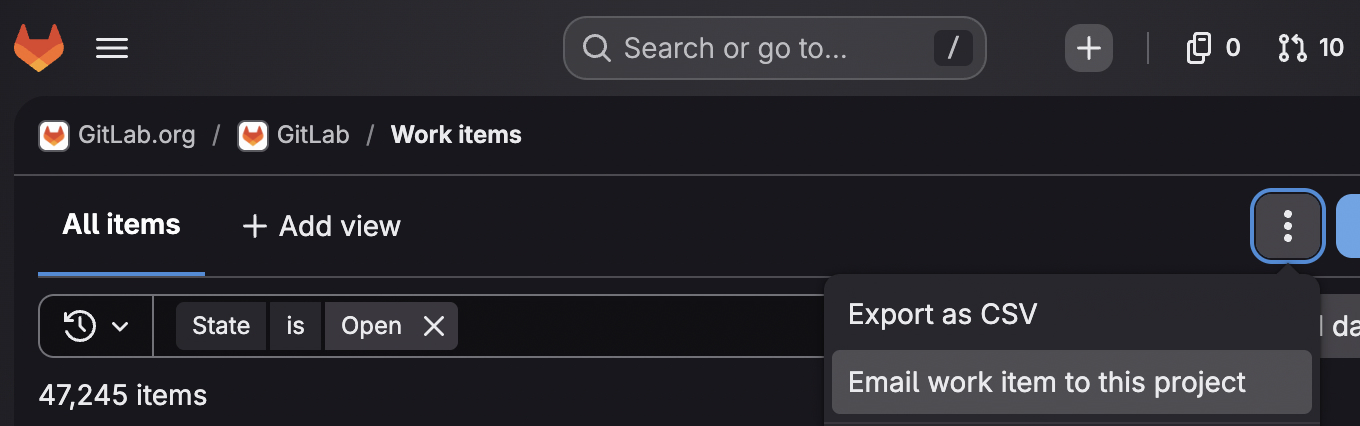
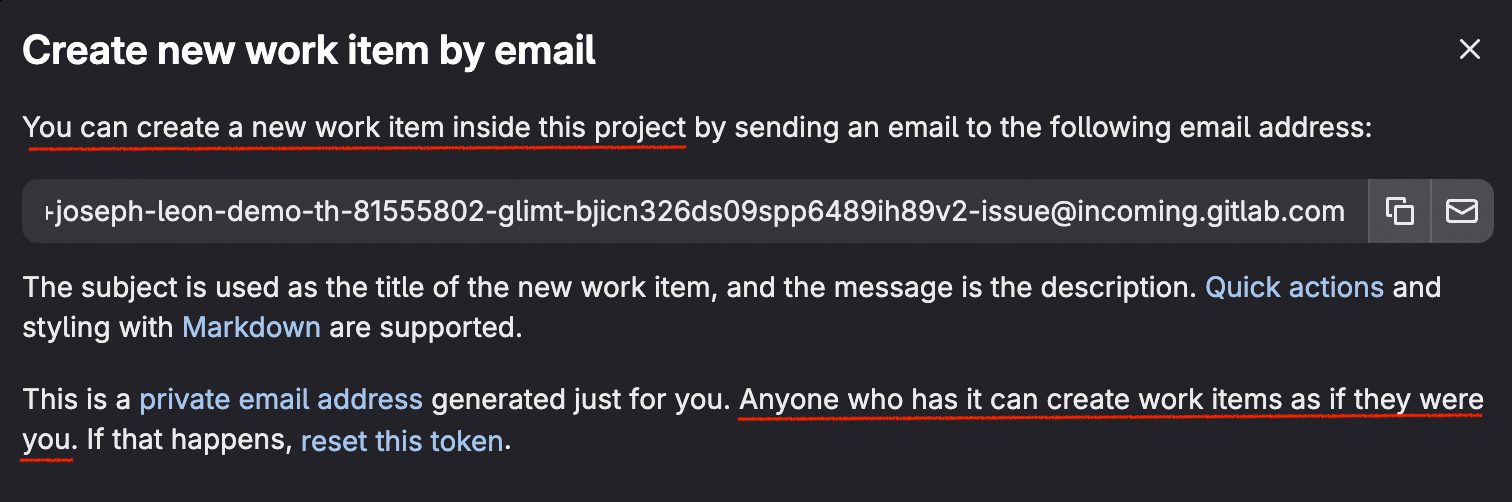
If you click it, GitLab shows you a private email address. Email anything to that address and a new issue appears in that project, authored by you.
incoming+project-id-glimt-XXXXXXXXXXXXXX-issue@incoming.gitlab.com
The glimt- string in the middle of that address is a credential. It's a long-lived token tied to your account, and it never expires.
It also does considerably more than file bugs. Anyone holding that address can push code and run CI/CD jobs in every project your account can reach.
We tested this against a private project protected by GitLab's IP restrictions, set to accept connections from a single address that wasn't ours. GitLab blocked our browser and rejected git clone. It accepted the email, and the commit landed on main.
Harmless on paper in the UI
Creating issues by email is a common product feature. Trello, Todoist, and Monday.com all ship a version of it, and they all scope it the same way. Mail sent to a unique address creates one unit of work in one project. So, users arrive at GitLab expecting the same.
And GitLab's UI confirmed it. The modal told users the address is yours alone and that it adds items to this project.
The Personal access tokens page (under `User settings`) ruled out everything else. GitLab said the Incoming email token authenticates you when you create a new issue by email, and that it "cannot be used to access any other data."
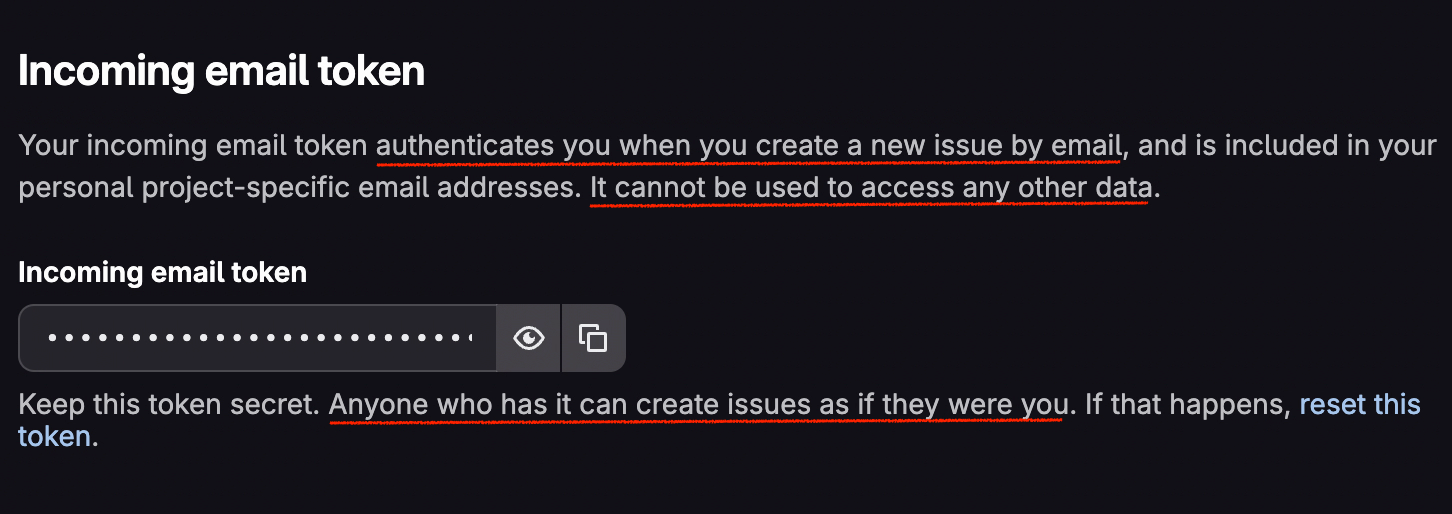
That is the mental model GitLab users are left with. It’s an email address to create issues inside a particular project, and it should be kept private.
Note: After I contacted GitLab, they added the text “and merge requests” to both UI elements.
My email address is a PAT?
GitLab is right that you should keep it private, but they’re understating the risk.The token inside this email address is essentially a fine-grained personal access token with significant access to your GitLab projects.
Account-wide access
Open "Email work item to this project" in five different projects and GitLab hands you five different addresses. The glimt- token embedded in each one is identical, in private projects too.
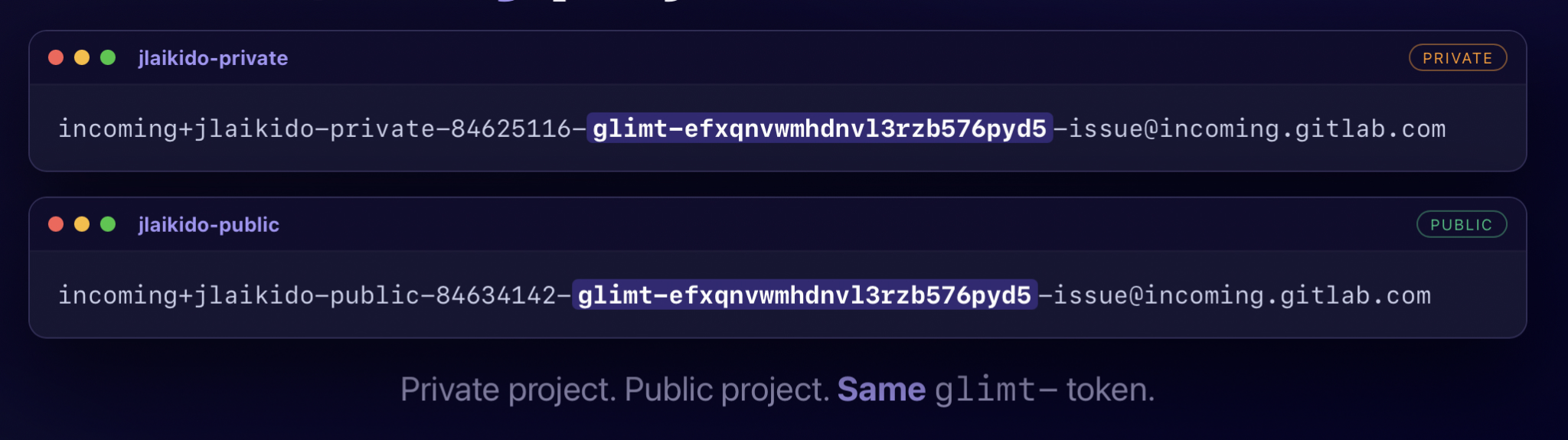
The UI presents the address as project-scoped, but the credential inside it is not. That token belongs to your entire account and reaches every project you have access to, public or private.
The sender does not matter
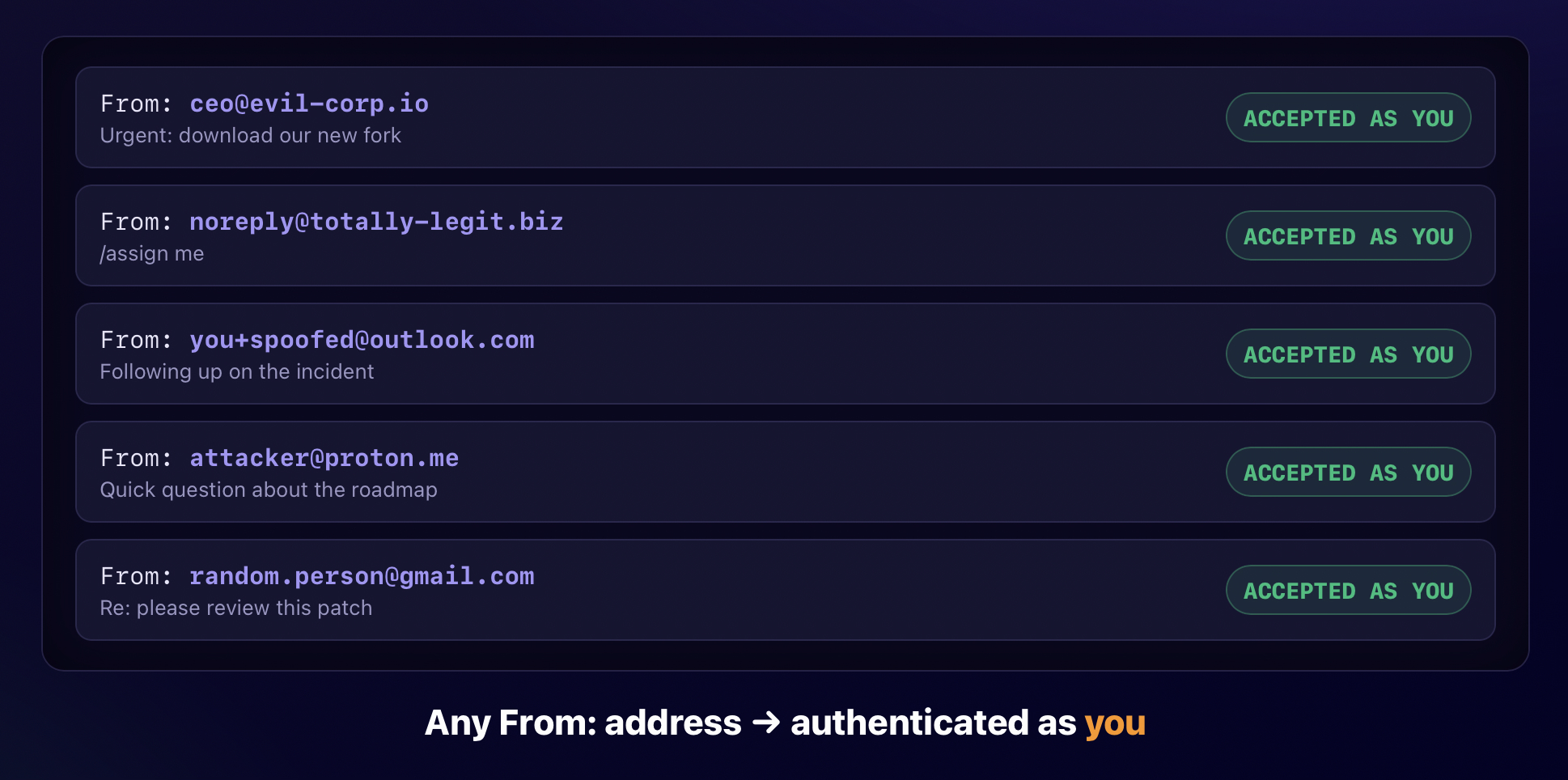
GitLab does not verify the sender. In principle, checking the sending address matches the token owner's email would add a layer of defense, but GitLab doesn't do this (though they are now considering it). Any mailbox on the internet can send to that address, and GitLab processes the message as the token's owner. If you have the address, you have both authentication and authorization.
From issues to code
Change the -issue suffix in the email address to -merge-request, and GitLab will open a merge request.
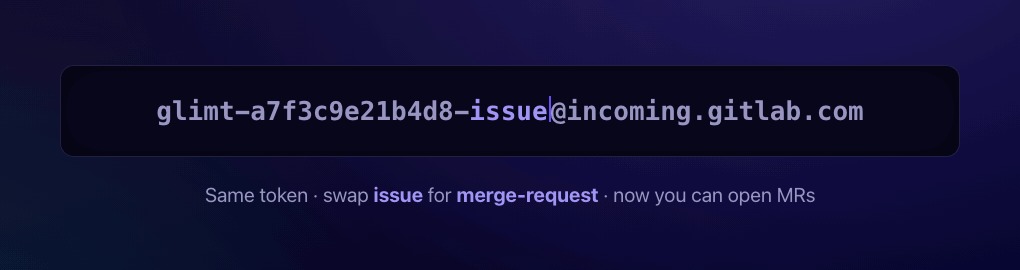
That alone isn't much, since an attacker can’t point the merge request at a malicious fork they control. But merge request emails accept a git .patch attachment, and GitLab applies those changes to the source branch. If the patch touches .gitlab-ci.yml and the victim's role allows it, GitLab runs the attacker's job.
The full path, start to finish:
- The victim publishes or leaks a project's issue-by-email address.
- The attacker swaps -issue@ for -merge-request@.
- The attacker writes a patch adding a job to .gitlab-ci.yml, with no knowledge of the target repository.
- The attacker emails the patch, naming the source branch in the subject line. GitLab pushes to that branch if it exists and creates it if it doesn't.
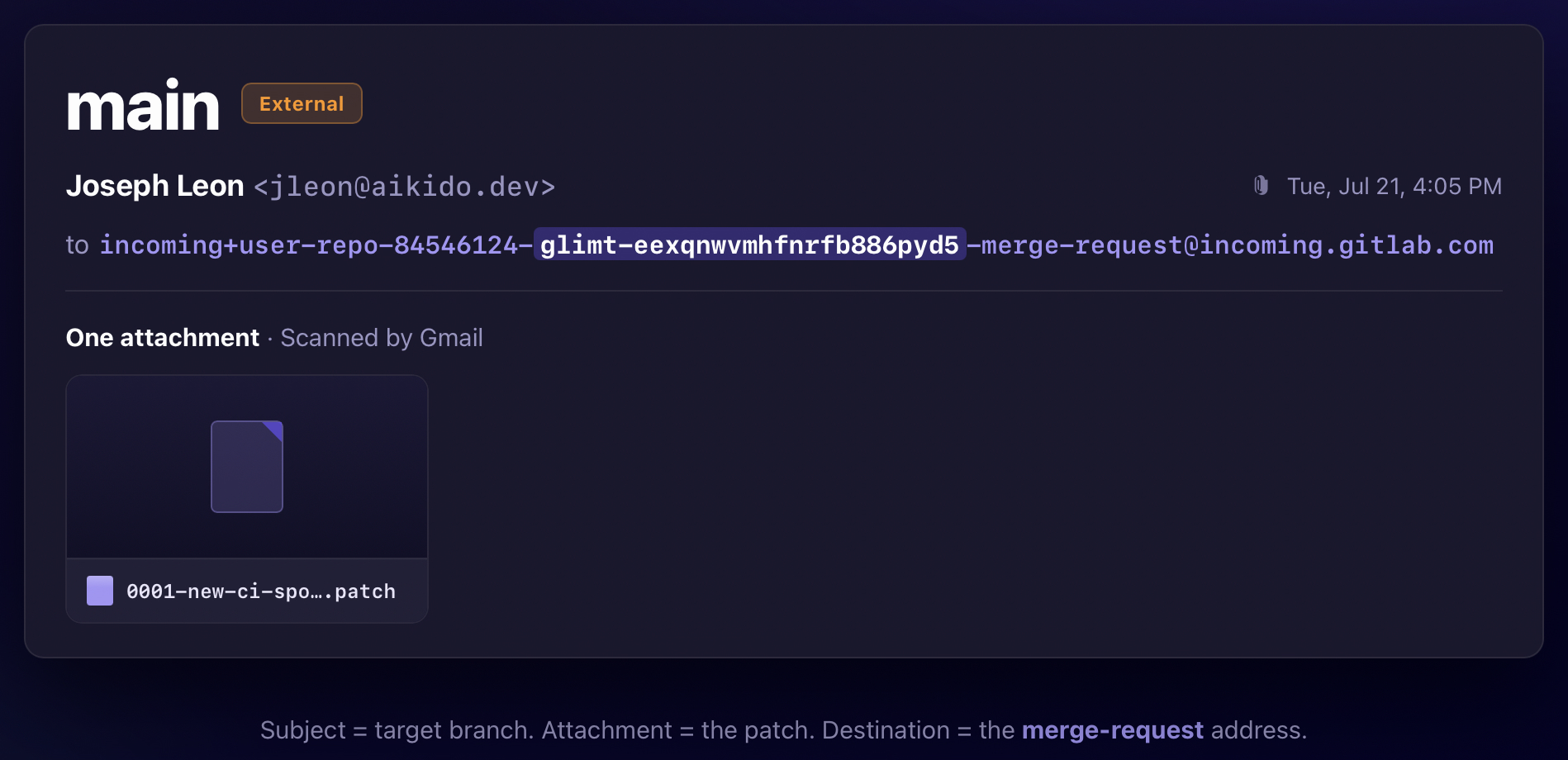
- GitLab runs the job in the victim's project, as the victim.
CI/CD execution is one outcome. The other is a commit on any branch the victim can push to, main included, authored by them. Anyone who builds from that repository pulls in the attacker's code.
Emails bypass IP restrictions
We restricted a private project to a single IP address that wasn't ours.

GitLab blocked our browser and rejected our git clone commands. But it still accepted a merge request email.
Teams turn on IP restrictions believing they have drawn a security boundary around a project, often at the edge of a corporate VPN. The boundary holds for HTTP and SSH, but not inbound email. An attacker who can’t reach the project from the network can reach it through the mail path instead.
What one address gets an attacker
A single leaked email address can seriously compromise a user or organization’s GitLab account. We confirmed each of these attack paths against projects we control:
- Pushing code to a protected branch in a private repository behind an IP allowlist.
- Exfiltrating source code from private projects behind an IP allowlist.
- Reading CI/CD variables and secrets from private projects.
- Accessing confidential issues in private projects (via the /move quick action)
- Using the CI_JOB_TOKEN available in CI/CD jobs to reach further into the account.
A GitLab incoming email address contains a token that acts like a fine-grained personal access token with significant permissions.
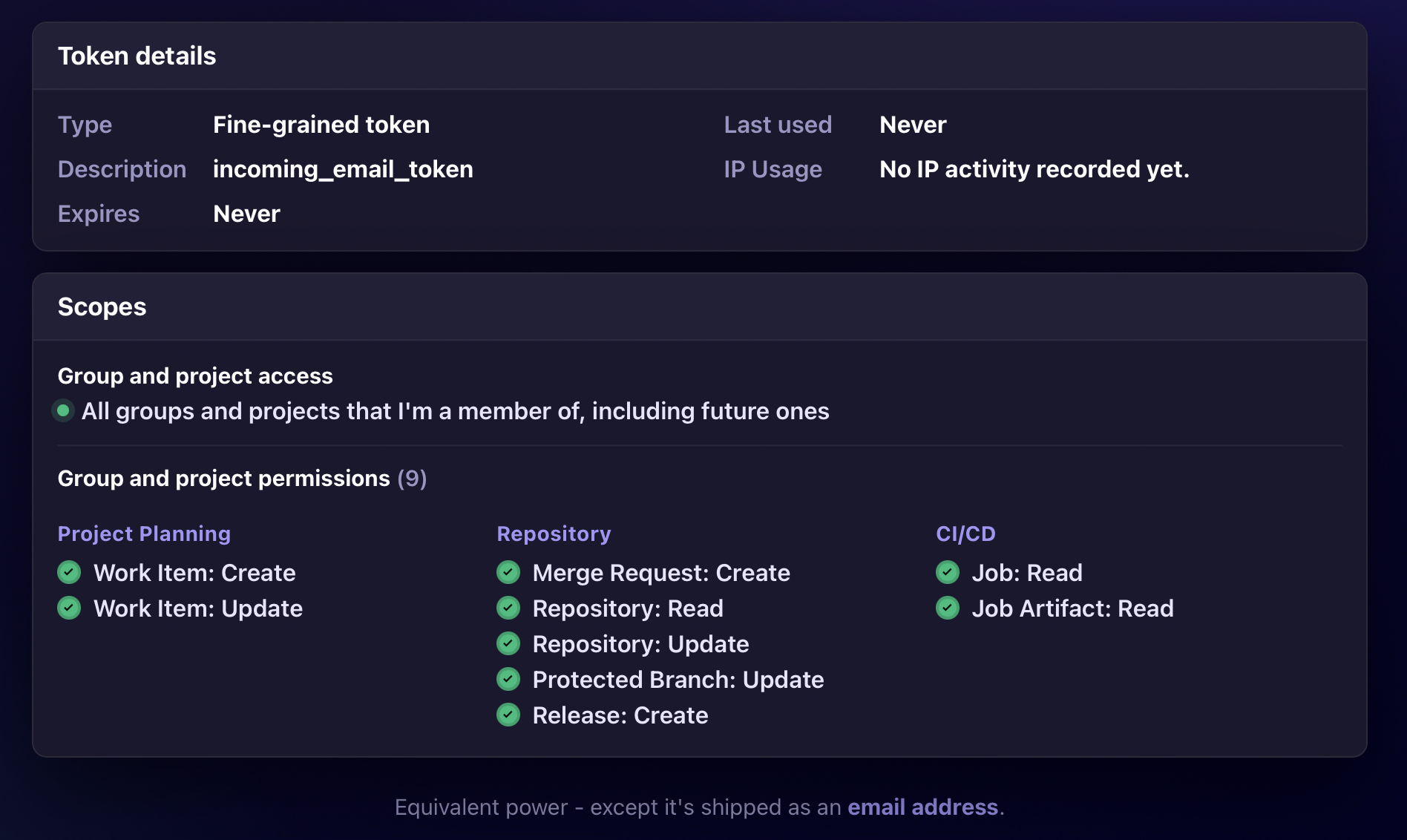
The most important distinction is that instead of accessing GitLab via API, users must post data via emails. From a defender’s perspective, if it can result in the same account compromise, does it matter whether it’s an HTTP request or an email?
Attacker Constraints
Two things constrain an attacker holding the address:
1. The token inherits the victim's permissions, and nothing in the mail path escalates them.
The victim's permissions bound the damage. A leaked Guest address is pretty much worthless. A leaked Maintainer address could reach protected branches and CI/CD variables. Nothing in the mail path sets that limit, just the victim's role.
2. Routing requires knowing which project to target.
GitLab resolves the destination from two values inside the incoming email address: the project path slug and the project ID. To reach a second project, an attacker must supply a different project's path and ID alongside the stolen token. For public projects, GitLab publishes both values. For private projects, an attacker needs an information leak naming the project (the ID is guessable).
A dozen, published on purpose
Everything above depends on an attacker getting an email address. We spent an afternoon searching public documentation and easily surfaced a dozen live incoming email addresses in READMEs, contributing guides, and support pages. Nearly every one had been published deliberately, by a maintainer telling users where to send bug reports! A few belonged to very popular open source projects.
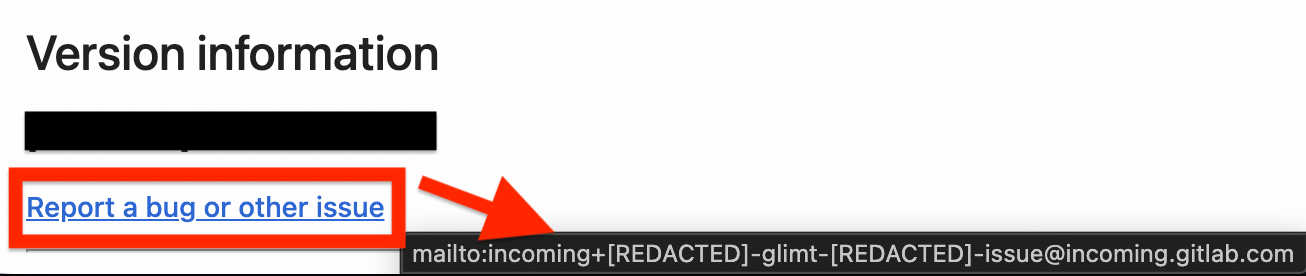
This is not user error. An email address is the one identifier that exists to be handed out. GitLab calls this one an email address, formats it like one, and gives you a button to copy it. Nothing about it looks like a credential.
The modal does say keep it private, and it does warn that anyone holding the address can create work items as you. That warning describes spam. It does not describe code pushes and pipeline runs across every project on the account.
We notified the affected accounts before publishing. Unfortunately, GitLab has no mechanism to bulk revoke these tokens or notify users, so our efforts were mixed.
Who is affected
Every GitLab.com account, and every self-managed instance with incoming email enabled. GitLab scopes the incoming email documentation to Self-Managed and GitLab.com, so GitLab Dedicated does not appear to be affected. We could not test that directly.
None of those users can turn this feature off. There is no setting to disable issue creation by email, no setting to disable merge request creation by email, and no way to require that the sender match a verified address. The token does not expire. The only control GitLab gives you is the reset link on your personal access tokens page, and resetting it invalidates every project address you have.
Disclosing to GitLab
This isn’t a typical “vulnerability”. It’s one part broken user expectations, two parts insecure defaults. We reported it through HackerOne in May 2026, but it was closed as intended behavior (not a surprise). We filed a confidential issue on the GitLab repository in June 2026, and that got a more detailed response.
GitLab's position, as we understand it, is that this is a token like any other, and that any leaked token leads to bad outcomes. That describes how any credential behaves once an attacker holds it, and it's accurate. But it sidesteps what makes this one different. GitLab built a credential that reaches every project in the account and bypasses IP restrictions, then presented it as an email address.

In response to our report, GitLab shipped an update with three changes:
- Removed "It cannot be used to access any other data" from the UI.
- Added "and merge requests" where the UI previously said the address could only create work items.
- Documented that incoming email is not subject to IP restrictions.
That is a fair response to what we reported, but the updates still do not convey the entire risk. A user who reads "merge requests" does not learn that the address carries a token that pushes code, runs CI/CD jobs, and works from outside an IP allowlist. Nothing on either surface says that token reaches every project in the account.
GitLab also left the underlying mechanism untouched. The single biggest reduction in attack surface would be requiring the sender address to match the one on the GitLab account. An attacker would then need access to the victim's email account, not just an address.
How we detect these
We added additional coverage to Betterleaks to identify all GitLab incoming email token types, including:
- `glimt-` prefixed tokens
- custom prefixed tokens
- tokens minted before the `glimt-` prefix existed
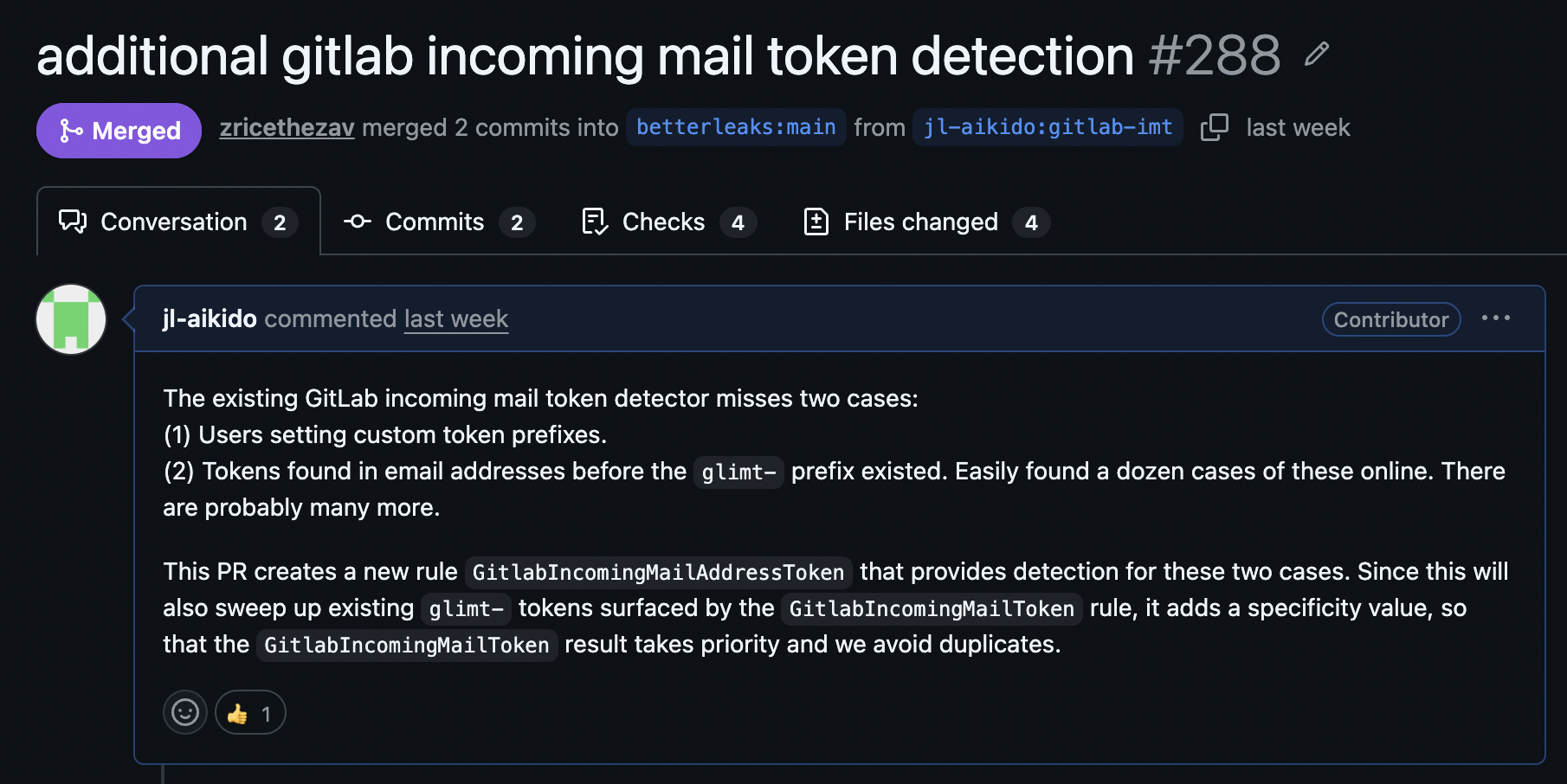
Betterleaks now identifies more GitLab incoming email token formats than any other secret scanner, including GitLab.
Aikido's secrets detection runs the same coverage as Betterleaks across your repositories and merge requests. If any results surface, rotate your credentials immediately.
A leaked GitLab email address presents yet another vector for threat actors to push malicious code and compromise a supply chain. Consider running Aikido’s Safe Chain or Device Protection to prevent yourself (or your team) from accidentally installing compromised packages. Safe Chain is an open-source CLI that wraps npm, pip, and other package managers to block known malware before it installs. Device Protection does the same for teams by blocking malicious packages, logging installs org-wide, and enforcing approval policies. Neither stops a token holder from pushing code, but they help prevent a malicious dependency added through a compromised commit from executing on a developer's machine or in a build.


